For Google TV & Android TV
Turn your TV into a high-end gaming display.
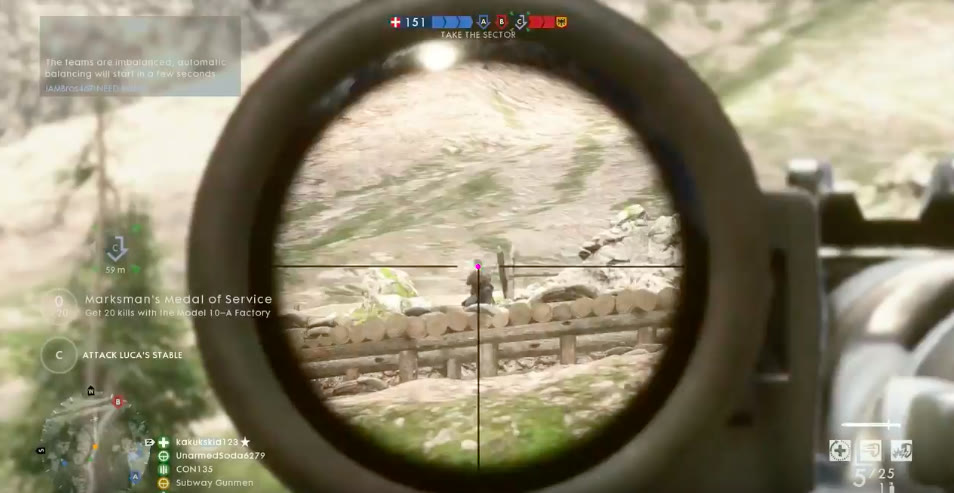
NoScope puts a reticle on your screen all the time – whether you’re hip-firing or looking down the scope. No wires, no calibration, and a fraction of the price of hardware reticles.
- No wires
- Auto-calibrates
- Any game console
- 24 reticle styles
- Any remote or keyboard
Features
Everything a hardware reticle does. Nothing to stick on your TV.
NoScope runs on the Smart TV you already own, so it works with any first-person shooter on any console.
Automatic calibration
NoScope finds the center of your screen on its own. Launch it and you’re aimed.
Console independent
It lives on your TV, not your console. Xbox, PlayStation, PC – if it’s on screen, NoScope works.
No smudges, no stickers
Never worry about a sticker or suction cup falling off mid-match, or about marking up your screen.
Make it yours
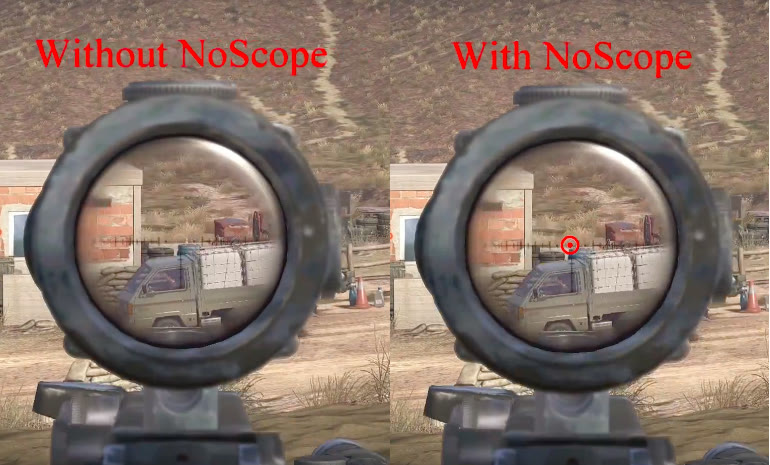
Choose from 24 styles – dots, crosses, rings and sniper reticles – then set the size, opacity, and any color you like. Move it if your game isn’t centered.
Stays visible
Add a black or white outline so your reticle never disappears against a red wall, a bright sky, or a dark corner.
Floats over your game
Overlay mode keeps the reticle on top of any HDMI input, on TVs that won’t let apps open over the game on their own.
Works with any remote
Hold OK for a full settings menu, so remotes without colored buttons can do everything. A USB keyboard works too.
Split-screen ready
Supports both vertical and horizontal split-screen, with a reticle for each player.
Remembers your setup
All customizations are saved automatically, so NoScope looks exactly the same next time you launch it.
How it works
Up and running in about a minute.
Install from Google Play
On your Google TV or Android TV, open Google Play, search for “NoScope,” and install it.
Put it over your game
Start your console, then pick NoScope from the TV’s Input list (Sony and others) or turn on overlay mode in NoScope’s settings.
Dial it in from the couch
Use the remote’s buttons or the settings menu to resize, recolor, restyle, and move your reticle – even mid-game.
New in version 2.8
More reticles. More control. Any TV.
- Reticles can now be ANY color! Pick it on the color wheel or type an exact color code like #FF1F8F
- 24 reticle styles, including sniper BDC, mil-dot, scope cross, T-cross and more
- Black or white outlines so your reticle stands out in every scene
- Overlay mode floats the reticle over your HDMI input, and your remote still adjusts it
- Settings menu – hold OK on any remote – plus an on-screen help guide
- Full keyboard support and on-screen messages for every change
The difference
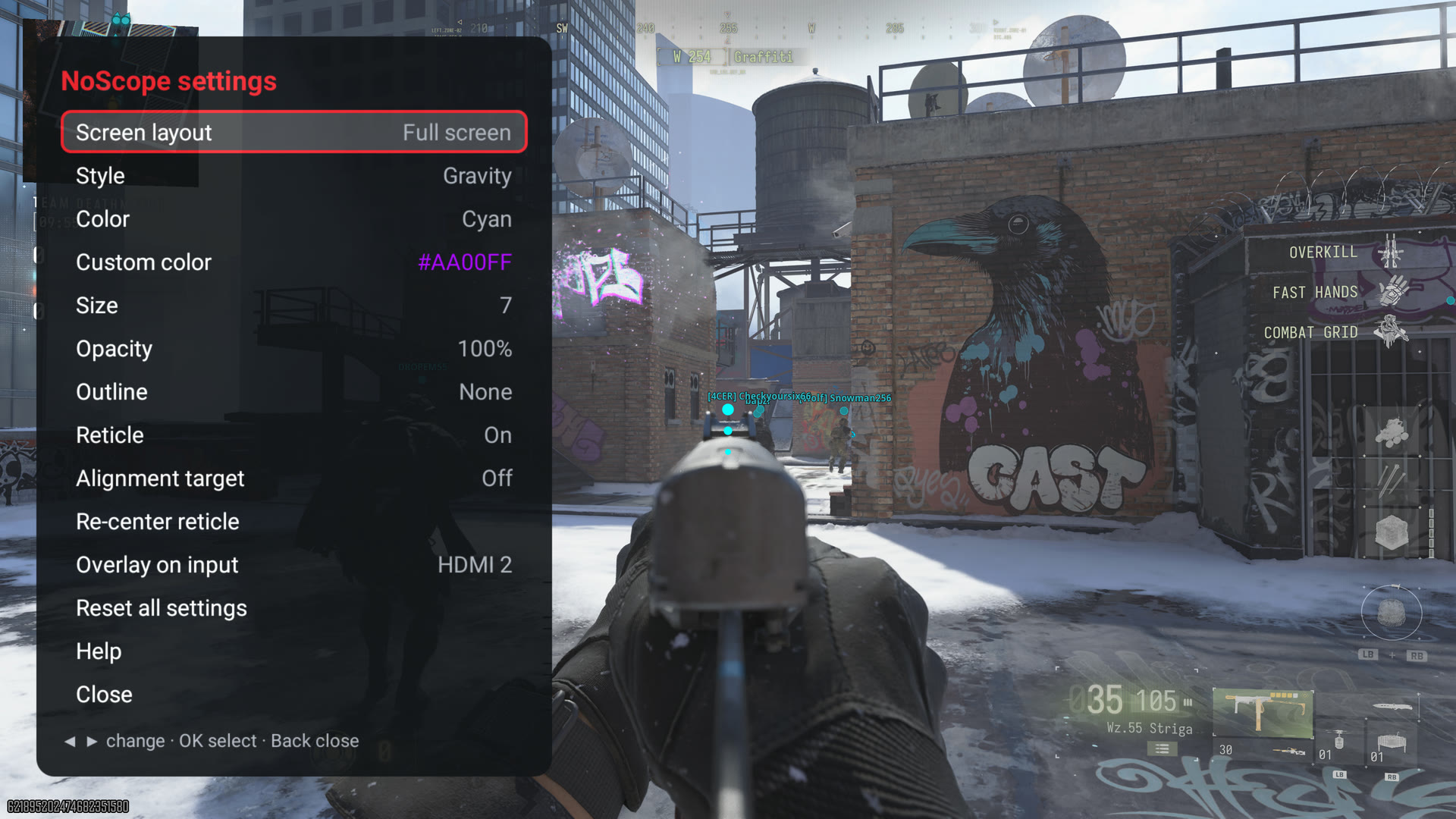
See the shot you’ve been missing.
Scopes hide your reticle exactly when you need it most. NoScope keeps a clear, high-contrast aim point on screen so long-range pistol kills and precision sniping become second nature.
Works with the games you already play:
- Battlefield 1
- Call of Duty: WWII
- Star Wars Battlefront II
- Ghost Recon Wildlands
- Halo: The Master Chief Collection
- Gears of War
- …and many more
Get NoScope on your TV today.
Available now on Google Play for Android TV and Google TV.
Download on Google Play